There are two kind of workflow as previously explained : patient or medical. A different JWT is used for each workflow. In this document, the more complicated medical JWT will be detailed but the patient JWT will have a very similar process.
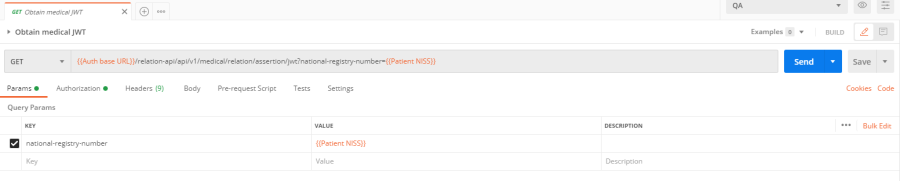
Select the operation "Obtain medical JWT" in the authorization folder. All the parameters and URL should already be filled out as such :
The authentication part previously detailed should have been performed or an error will be returned (see known issues)
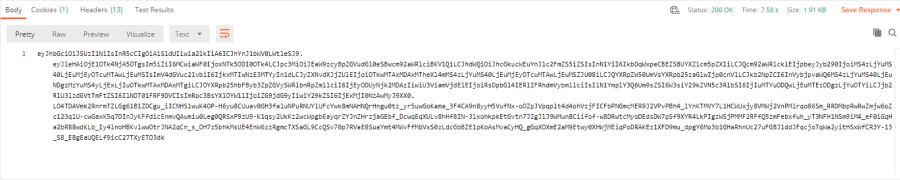
The request can be submitted by hitting the blue "Send" button on the right of the URL field. If a therapeutic link has been set between the patient and the logged in user, this request should sent you the JWT as a response :
If there is no therapeutic relationship between the two users, jump to Create a therapeutic relation
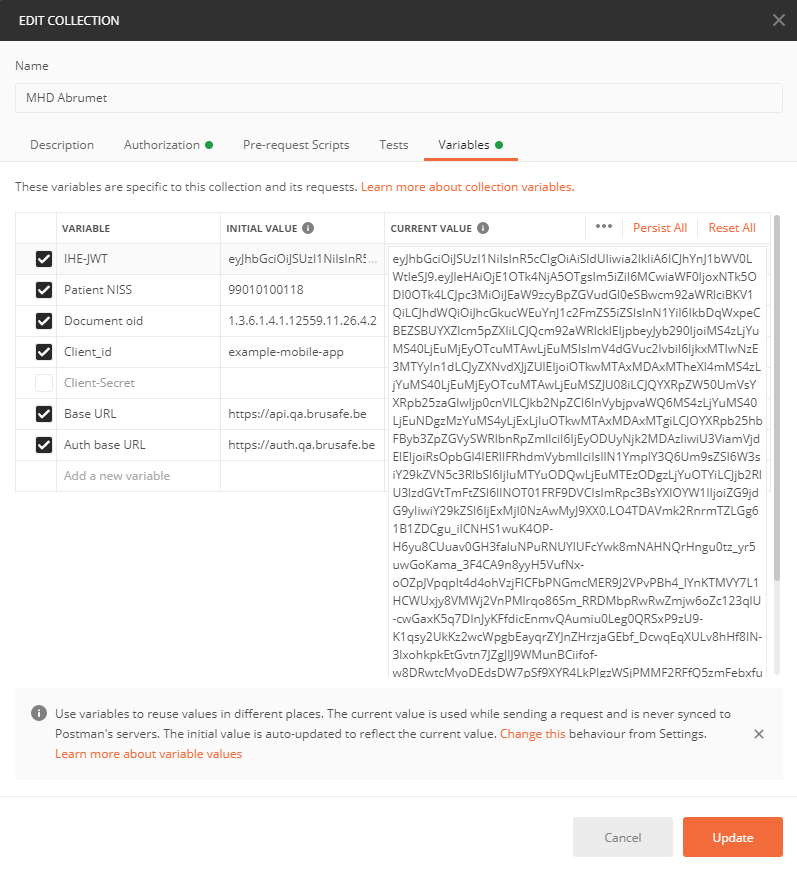
The JWT should be automatically extracted by postman and the appropriate value field in the collection variables will be set as described in previous sections. You can check if the token has been updated in the collection variables :
The authorization part is now set for the chosen patient and you can now use the MHD API under the Documentation API folder.
Please be aware that the medical assertion process and JWT obtention should be repeated if the Patient NISS variable is changed (= if a different patient is focused) or if the token expires.
Using "Obtain patient JWT" will give you the patient workflow and the focus will be on the authenticated user medical record.