
Authentication is the first step of all the possible transactions as the user will need to be authenticated in order to access Brusafe+ functionality. Fortunately, Postman has a built-in OAuth2 authentication engine which we can use once to access the different functionalities.
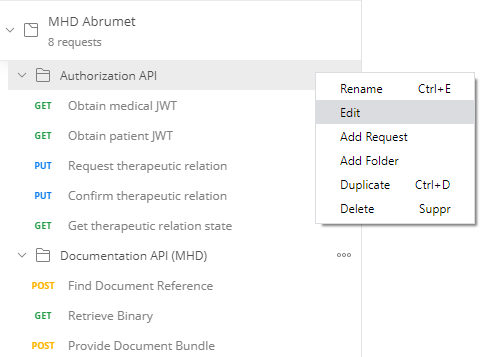
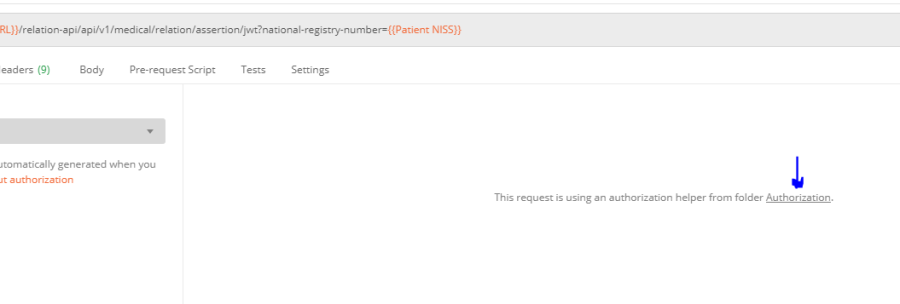
In order to set it up, the authorization tab of the folder named "Authorization API" should be edited. This folder is the first folder within the collection and by right clicking on its name and then click edit, the tab should be accessible. It can be opened similarly opening the collection edition as explained above or by clicking on any authorization tab of the different requests within the folder and click on Authorization :
The following tab should be reached :
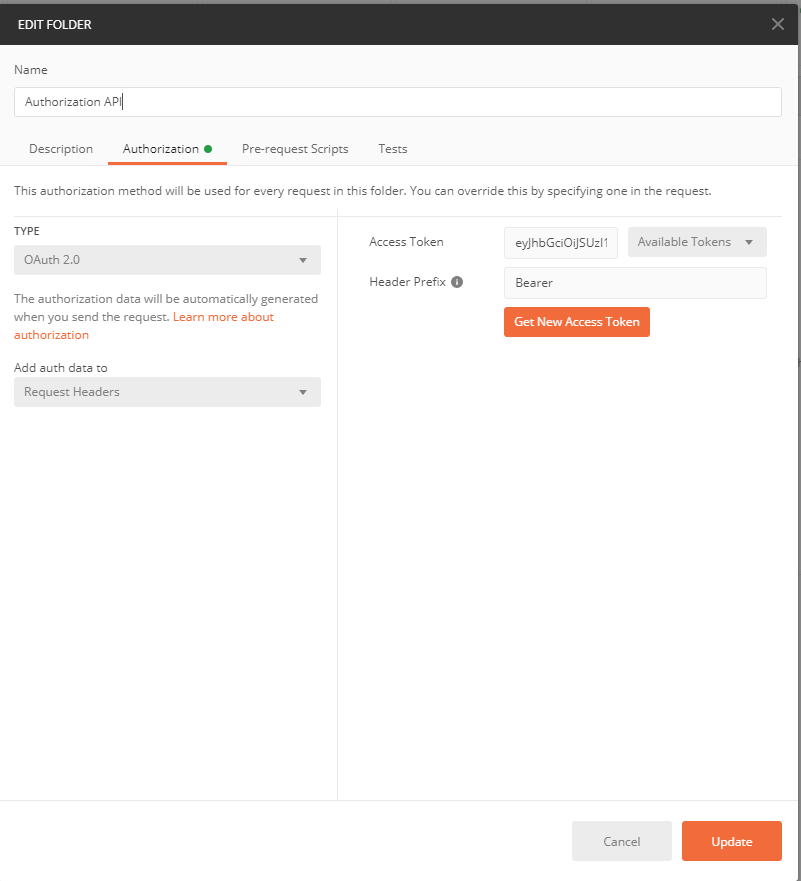
To initiate the process, click on "Get New Access Token". The following window should pop up :
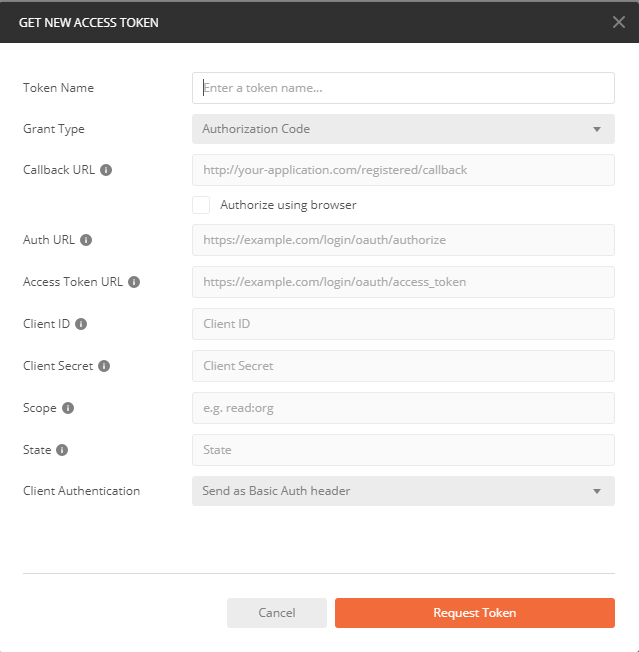
All these parameters should correspond to the parameter given to Abrumet in "How to get your access token". Find underneath the default setup which can be use initially (see also https://doc.brusafe.be/display/MQE/Portal+api+security):
- Token Name : bearer
- Grant Type : Authorization Code
- Callback URL : https://localhost/
- Auth URL : https://auth.qa.brusafe.be/auth/realms/abrumet/protocol/openid-connect/auth
- Token URL : https://auth.qa.brusafe.be/auth/realms/abrumet/protocol/openid-connect/token
- Client ID :
Client_id(Postman variable) or example-mobile-app - Client Secret :
Client-Secret(Postman variable) - Scope : read write
- State : leave it empty or set it to a random UUI
- Client Authentication : Send as Basic Auth header
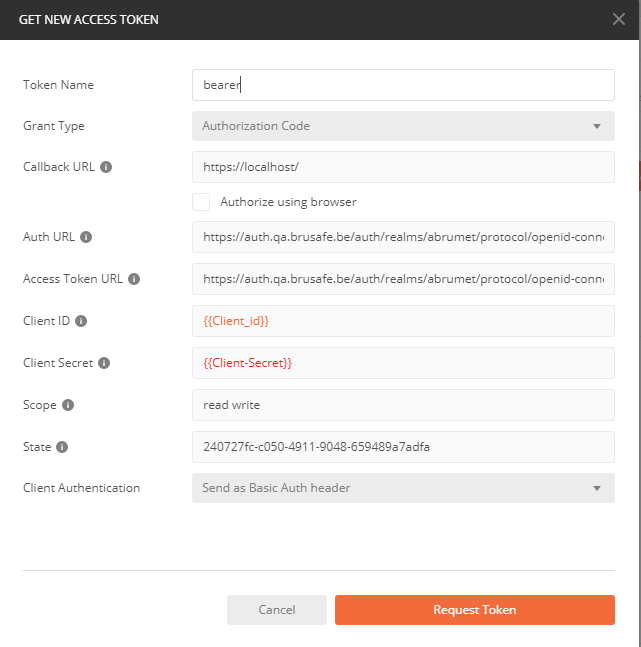
The OAuth2 setup should be saved by Postman and later, you won't need to fill this up again as Postman saves these information.
Once all the parameters properly filled out, you can click on Request Token.
A popup window should appear showing Brusafe+ portal. Follow the authentication process from the portal (Username + PSW and confirmation code as using 'itsme' can cause issues). Once authenticated and the popup closed, the token should have been retrieved automatically by Postman and as postman engine uses cookies, this popup window shouldn't appear anymore during a test sequence. The following window should present itself :
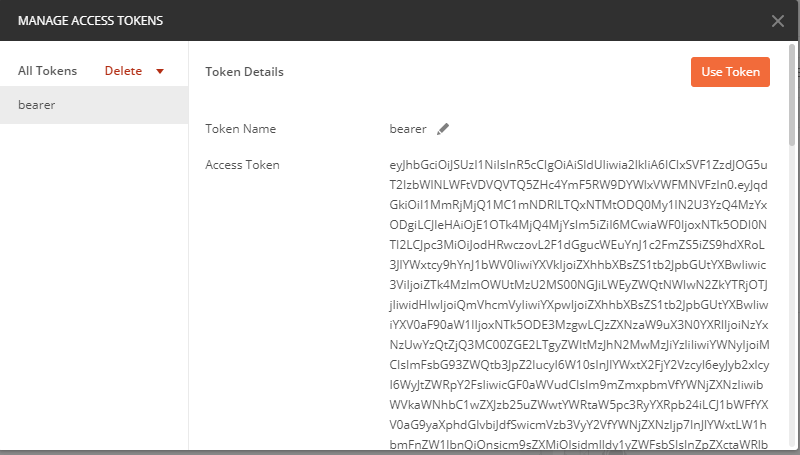
The window can be closed by hitting "Use Token" on the top right and then "Update" on the bottom right. The authentication part has been done and there shouldn't be any need to redo it again during a short test sequence.